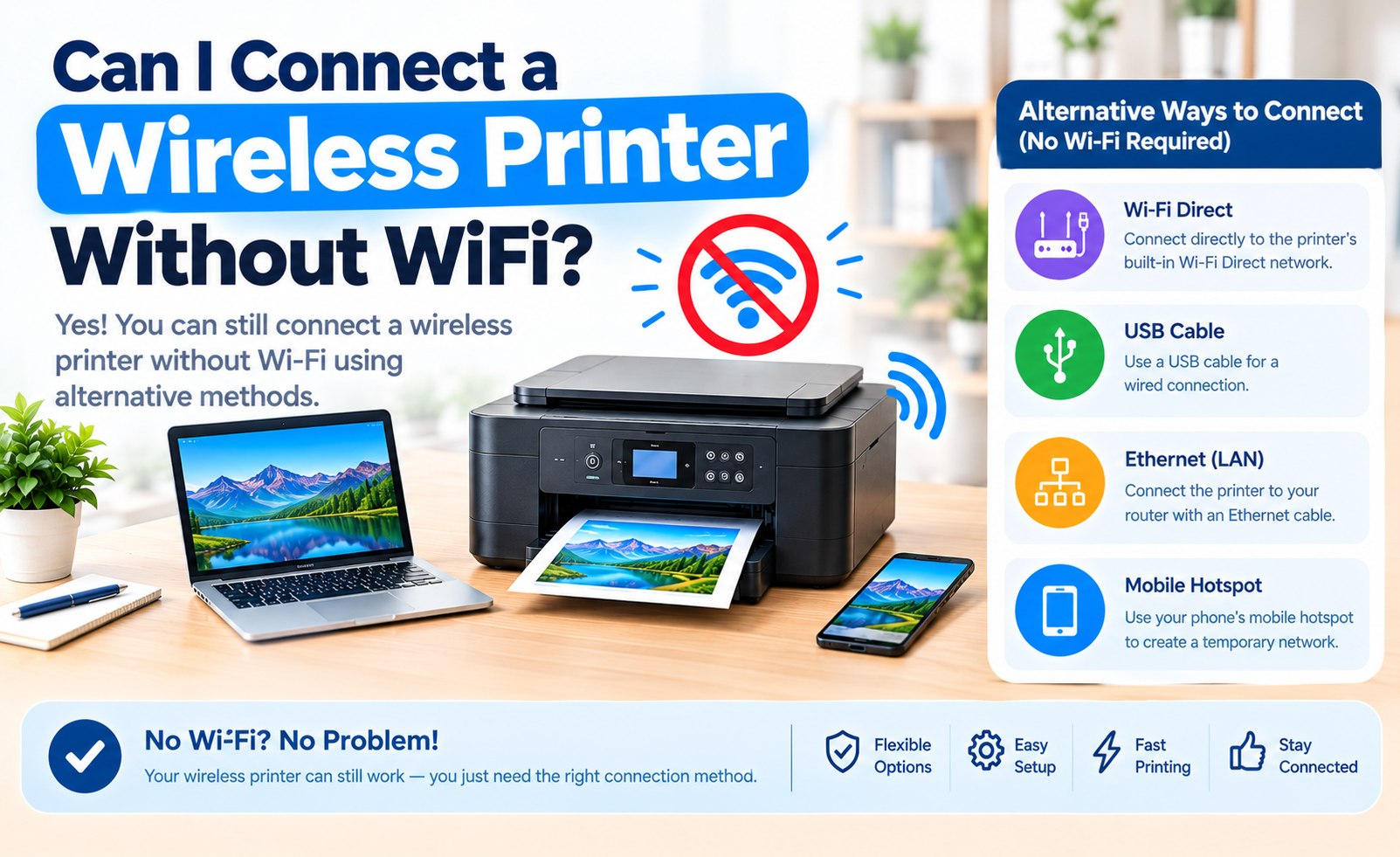
Can I Connect to a Wireless Printer Without Wi-Fi? Complete Guide
Yes, in many cases you can connect to and use a wireless printer without having a traditional home Wi-Fi network. The important detail is that "wireless" does not always mean the printer must have an internet connection.
Depending on the printer model, you may be able to print using Wi-Fi Direct, Bluetooth, a mobile hotspot, or another direct connection method. A USB cable is also an option when wireless printing is not required.
This guide explains the different ways to connect a printer when you do not have a conventional wireless router or Wi-Fi network, along with the advantages and limitations of each method.
Does a Wireless Printer Need Wi-Fi?
Not necessarily. A wireless printer generally means that the printer supports one or more wireless communication technologies. It does not automatically mean that the printer must be connected to a home internet service.
Some printers can communicate directly with a computer or mobile device through Wi-Fi Direct. Other models may support Bluetooth or manufacturer-specific wireless connection options.
The available connection methods depend on the printer model. Before choosing a setup method, check the connection features supported by your specific printer.
What Is the Difference Between Wi-Fi and Internet?
Wi-Fi and internet access are not the same thing. Wi-Fi is a wireless networking technology that allows devices to communicate over a local network. Internet access is a separate service that provides connectivity beyond that local network.
A printer can sometimes communicate with a computer or phone over a local wireless connection even when there is no internet service available.
This distinction is especially useful when setting up Wi-Fi Direct, because the printer and the device can communicate directly without relying on a traditional home router.
Method 1: Connect Using Wi-Fi Direct
Wi-Fi Direct is one of the most useful options for connecting a compatible printer without a traditional wireless router.
With Wi-Fi Direct, the printer can create its own wireless connection. A compatible computer, tablet, or smartphone can then connect directly to the printer.
The exact setup process varies between printer models, but the printer's control panel or network settings may include an option such as Wi-Fi Direct, Direct Wireless, or a similar wireless connection feature.
A printer can use a local wireless connection without having access to the internet. The printer and your device simply need a compatible way to communicate with each other.
Wireless Printing Tip
Printer Setup Guide
How to Set Up Wi-Fi Direct on a Printer
If your printer supports Wi-Fi Direct, the general setup process may look like this:
- Turn on the printer.
- Open the printer's wireless or network settings.
- Look for Wi-Fi Direct or a similar direct wireless option.
- Enable the feature if it is disabled.
- Check the printer display or information page for the network name and password when provided.
- Open Wi-Fi settings on your computer or mobile device.
- Select the printer's direct wireless network.
- Enter the required password.
- Add the printer through your device's printer settings.
Menu names and available options can vary significantly by printer model.
Method 2: Connect Through a Mobile Hotspot
A smartphone hotspot can sometimes provide a temporary wireless network for compatible printers and other devices.
When the printer supports the required network configuration, you can enable the hotspot on your phone and connect the printer to that wireless network.
The computer or tablet used for printing may also need to communicate with the printer through the same hotspot network.
Not every printer, phone, or operating system handles hotspot connections in exactly the same way. Some printers may have compatibility limitations, especially with certain network bands or security settings.
Method 3: Use Bluetooth If Your Printer Supports It
Some printers support Bluetooth printing. If your printer includes Bluetooth functionality, you may be able to pair it directly with a compatible smartphone, tablet, or computer.
Bluetooth printer setup is different from Wi-Fi Direct. Bluetooth is designed for short-range communication, while Wi-Fi-based connections can provide different networking capabilities.
Check the printer's specifications and documentation to determine whether Bluetooth printing is supported and which devices can be paired with it.
Method 4: Connect the Printer Using USB
If you do not need wireless printing, a USB connection is one of the simplest ways to connect a printer directly to a computer.
Connect the compatible USB cable between the printer and computer, turn on the printer, and allow the operating system to detect the device.
Depending on the printer and operating system, you may also need to install the appropriate printer driver or software.
USB printing does not require a Wi-Fi network because the computer communicates directly with the printer through the cable.
Can I Print Without an Internet Connection?
In many situations, yes. A printer does not necessarily need internet access to receive a document from a computer or mobile device.
For example, a direct wireless connection or USB connection can allow the printing device and printer to communicate locally.
Internet access may still be useful for downloading printer software, checking online documentation, installing updates, or using cloud-based printing features. However, these functions are different from the basic local communication required to send a print job.
Can I Connect My Phone Directly to a Printer?
A smartphone can often connect directly to a compatible printer, but the available options depend on both the phone and printer.
Supported methods may include Wi-Fi Direct, Bluetooth, a mobile hotspot, or a printer manufacturer's mobile application.
On some phones, the printer may need to be connected to the same local network before it appears in the available printing options. Other printers can establish a direct connection without requiring a traditional wireless router.
Can I Connect a Laptop to a Printer Without Wi-Fi?
Yes. A laptop can connect to a printer without a traditional Wi-Fi network if the printer and laptop support another connection method.
- USB connection between the laptop and printer.
- Wi-Fi Direct connection when supported.
- Bluetooth connection when supported.
- Compatible mobile hotspot or direct network setup.
For a wired setup, make sure the correct printer driver is installed and the operating system recognizes the printer correctly.
Does Wi-Fi Direct Need a Router?
Wi-Fi Direct is specifically designed to allow compatible devices to communicate directly without requiring a traditional wireless router.
This makes it useful in situations where there is no home Wi-Fi network available or when you need a direct connection between a printer and a computer or mobile device.
The exact capabilities and connection limits depend on the printer model and the device being connected.
What If My Printer Does Not Support Wi-Fi Direct?
If your printer does not support Wi-Fi Direct, check whether it provides another connection option.
- USB printing from a computer.
- Bluetooth printing if supported.
- Mobile hotspot connectivity if compatible.
- Traditional Wi-Fi network connection through a compatible router.
Older printers may have fewer wireless connection choices than newer models.
Is Printing Without Wi-Fi the Same as Wireless Printing?
Not exactly. Wireless printing means the print data is sent without a physical cable, but there are several wireless technologies that can make this possible.
A printer connected to a home Wi-Fi router is one type of wireless printing. Wi-Fi Direct and Bluetooth are other possible wireless communication methods.
Therefore, you can sometimes print wirelessly without having a conventional home Wi-Fi network.
Things to Check Before Using a Direct Connection
Before choosing a wireless connection method, check the following:
- Confirm that your printer supports the connection method you want to use.
- Check whether your computer or phone supports the same connection technology.
- Keep the printer and device within an appropriate wireless range.
- Check whether a printer driver or mobile application is required.
- Review the printer's network or wireless settings.
- Make sure the printer has enough paper and does not display an error.
Why Your Printer May Not Appear After Connecting
Even after establishing a direct wireless connection, the printer may not immediately appear in the printing list.
This can happen if the required driver or printer software has not been installed, the device is connected to the wrong network, or the printer's wireless mode is not configured correctly.
Try disconnecting and reconnecting the wireless connection, restarting the printer, and checking the printer settings on your computer or mobile device.
Which Connection Method Should You Use?
The most suitable connection depends on your printer, device, and how you plan to print.
- Wi-Fi Direct: Useful when you want wireless printing without a traditional router.
- Bluetooth: Useful for compatible short-range printer connections.
- Mobile Hotspot: Can provide a temporary wireless network when supported by the printer and devices.
- USB: Useful when a direct wired connection is acceptable.
- Traditional Wi-Fi: Convenient for multiple computers and mobile devices sharing the same printer on a local network.
Conclusion
You can often connect to a wireless printer without having a traditional Wi-Fi router or internet connection. Depending on the printer model, options may include Wi-Fi Direct, Bluetooth, a compatible mobile hotspot, or another direct wireless connection.
If wireless connectivity is not available, USB provides another straightforward way to connect a printer directly to a computer.
Before choosing a connection method, check the specifications and setup options for your particular printer. The available features, device compatibility, and setup steps can vary between printer models.
Related Printer Setup Guides
Add Comment


Comments
Printer Setup Guide
Wireless Printing InformationHave a question about connecting a printer without Wi-Fi? Share your printer setup experience or question in the comments.